Reach new customers
People looking for local experiences or gifts can find your offers.

FOR EXPERIENCE PROVIDERS
Reach new guests and provide experiences through Expiriland offers. Plan visits and track your remuneration in the partner portal.
Become a partnerWe agree on terms and the process before launch.

Expiriland sells the experience to the customer. You provide it and receive separate contractual remuneration after the service has been delivered and verified.
Entitlement to remuneration arises after the service has been fully provided and verified.
WHY EXPIRILAND
People looking for local experiences or gifts can find your offers.
Your activities can form the basis of Expiriland gift vouchers and be included in sets offering one experience to choose.
Dates, guests, available places and voucher checks in one app.
We agree the remuneration for each completed experience before you start. The portal shows completed bookings, service verification and payout statuses.
GETTING STARTED
Tell us about your business. We will get in touch and prepare your launch together.
Become a partnerYou can start with one offer. Sending an enquiry does not commit you to a partnership.
Share your contact details, location and the activities you run.
We agree the experiences, remuneration and payment terms. Together, we prepare the offers and set up booking.
We set up booking and the partner portal. Customers can book the prepared offers after launch.
THE PARTNER APP
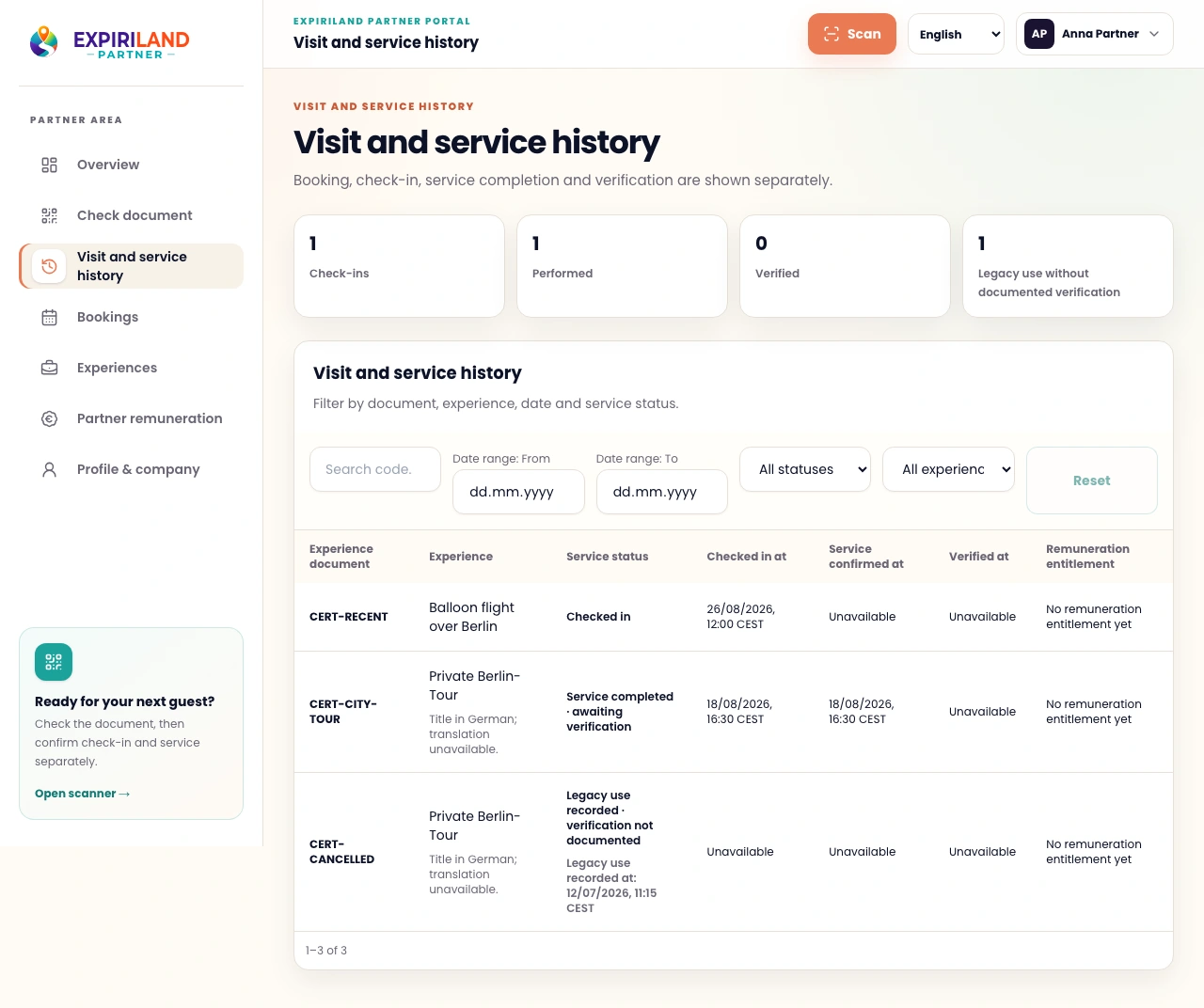
Track bookings, service completion, verification, remuneration and payouts separately.
Partner portal with demo data.
01 / TICKETS AND CHECK-IN
Scan the QR code and check the details. Record the guest’s check-in, then confirm service completion after the experience. Verification and remuneration are shown separately.
QR check-in example
Place the QR code inside the frame
Enter code manuallyQR check-in example
✓ Ticket valid
2 people
Record check-inQR check-in example
Pottery workshop
EXAMPLEPreview of the planned interface. Demo data.
The QR code is used for verification and check-in. Service completion and remuneration are confirmed separately.
Simplified example. It does not check real codes, record visits, confirm service completion or initiate payments.
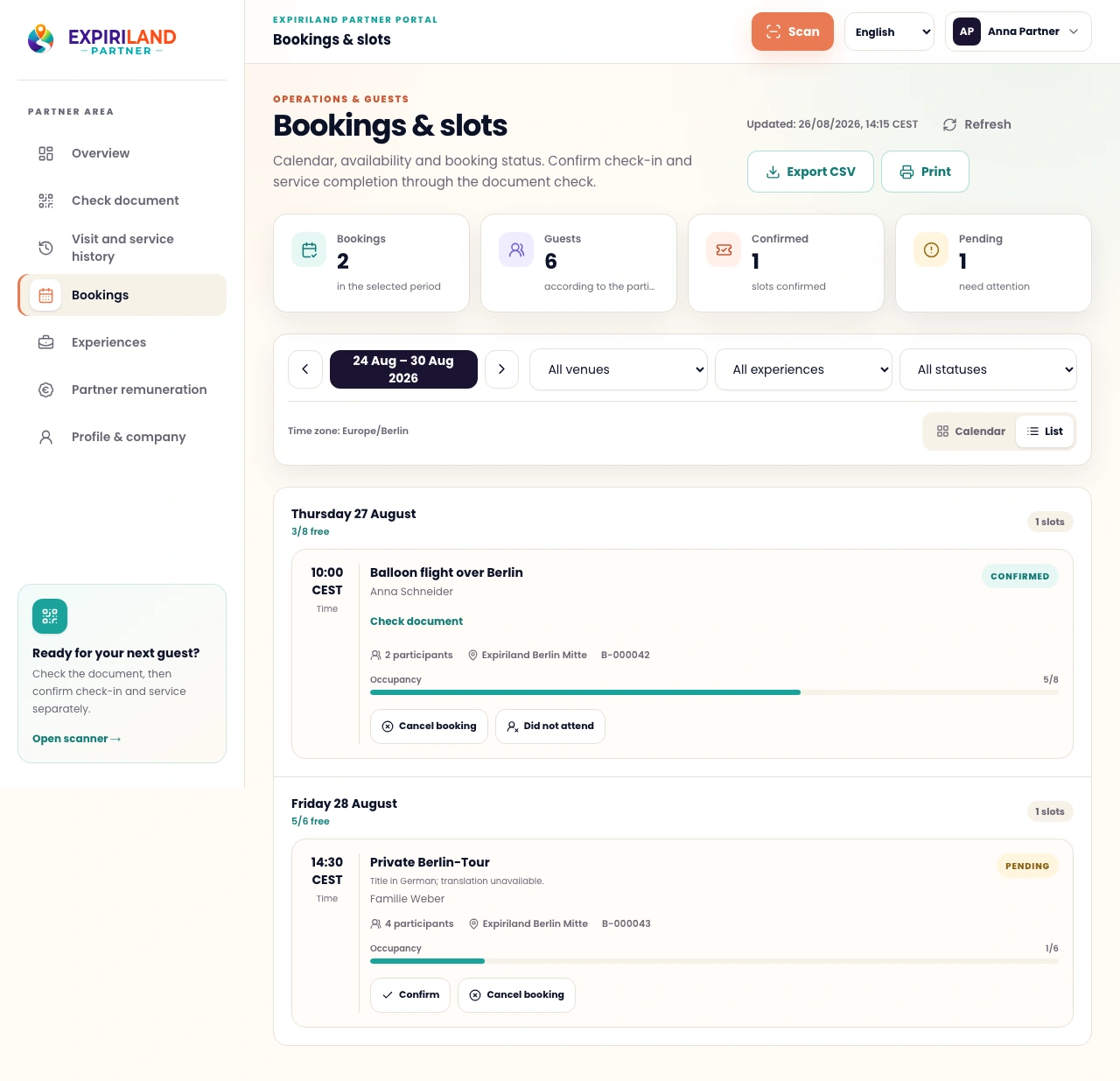
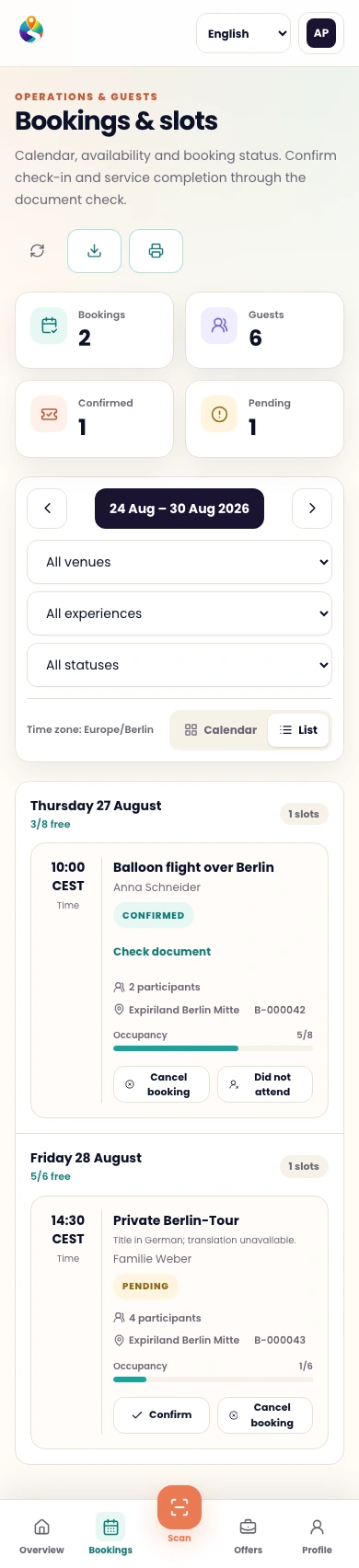
02 / MANAGE BOOKINGS
Open the calendar or list. Filter by venue, experience and status. Confirm or update a booking.
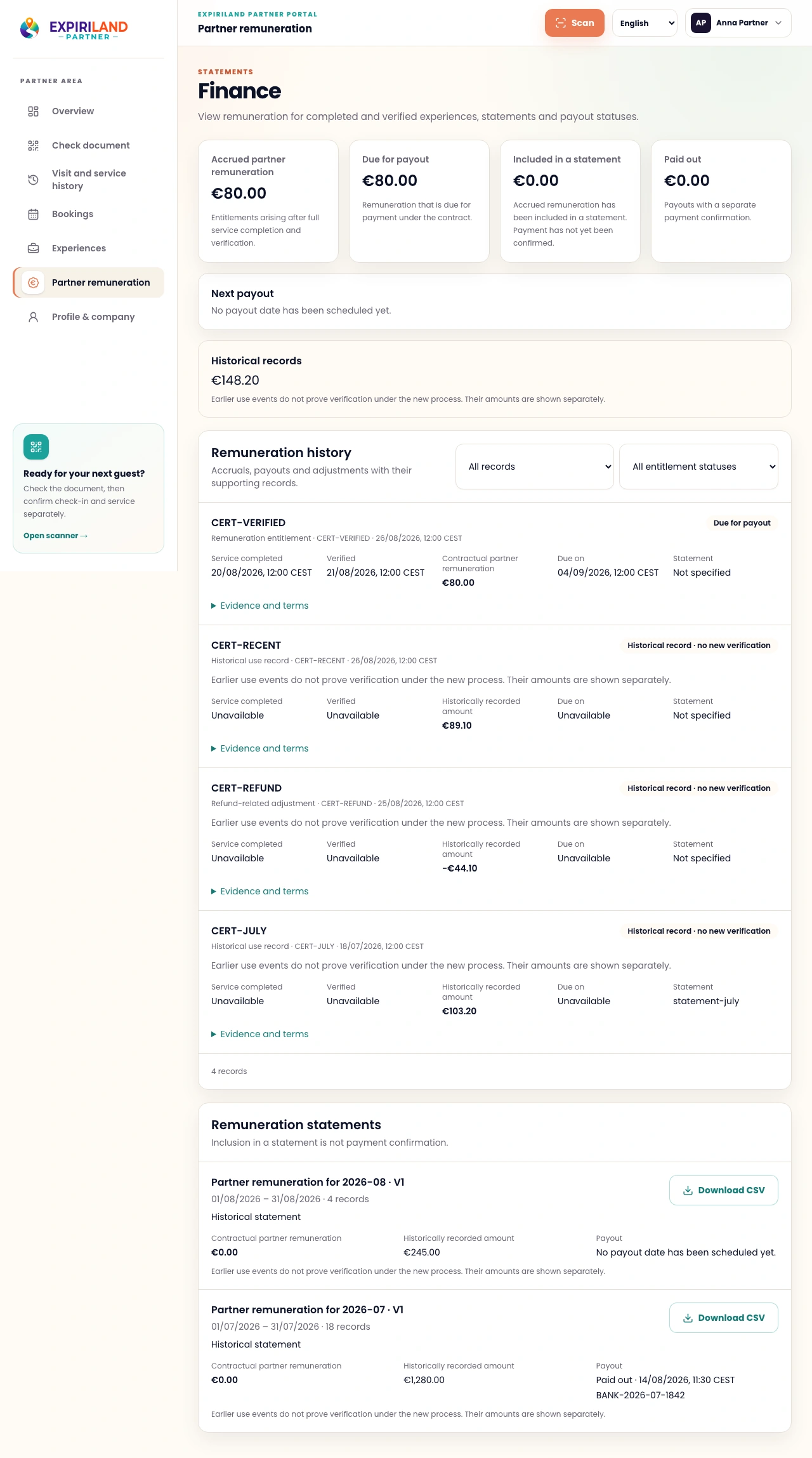
03 / REMUNERATION AND PAYOUTS
View expected remuneration for bookings, accrued amounts after verification and payout statuses. Each amount shows its basis.

BOOKING INTEGRATION
Discuss Expiriland Booking or a possible integration with your existing system.
The connection depends on your system’s capabilities. We will check these and agree on the solution before launch.
FAQ
No. You can list your offer on Expiriland and manage bookings in the partner app.
Yes. Tell us about one activity you are ready to offer guests.
Tell us which system you use. We will check whether it can connect and agree on the process.
We agree the amount, calculation basis and timing before onboarding. Entitlement arises after full service delivery and verification.
No. We will first discuss your offer and the partnership terms.
PARTNER ENQUIRY
Describe your activities and leave your contact details. We will discuss the partnership. Submitting an enquiry creates no obligation.
Your enquiry carries no obligation.